Contrib for balderhub-auth
For activating this module, you need to install the package like shown below
>>> pip install balderhub-html[auth]
Once installed you can use it.
Available Processes
Login Process
This package provides a ready-to-use implementation for login:
To test this workflow, you can use the balderhub.auth.scenarios.ScenarioSimpleLogin:
# file scenario_balderhub_auth.py

from balderhub.auth.scenarios import ScenarioSimpleLogin
import balder
import balderhub.selenium.lib.setup_features


class SetupLogin(balder.Setup):
    class Server(balder.Device):
        pass

    @balder.connect(Server, over_connection=balder.Connection)
    class Client(balder.Device):
        selenium = balderhub.selenium.lib.setup_features.SeleniumXXWebdriverFeature() # or other feature that supports `balderhub-webdriver`

        role = MyUserRole()
        page_login = LoginPage()

        login = balderhub.html.contrib.auth.setup_features.UserLoginFeature()
This will execute the scenario with your setup:
+----------------------------------------------------------------------------------------------------------------------+
| BALDER Testsystem                                                                                                    |
|  python version 3.10.9 (main, Dec  8 2022, 02:19:14) [GCC 12.2.1 20220924] | balder version 0.2.2                    |
+----------------------------------------------------------------------------------------------------------------------+
Collect 1 Setups and 1 Scenarios
  resolve them to 1 valid variations

================================================== START TESTSESSION ===================================================
SETUP SetupLogin
  SCENARIO ScenarioSimpleLogin
    VARIATION ScenarioSimpleLogin.Client:SetupLogin.Client
      TEST ScenarioSimpleLogin.test_login [.]
================================================== FINISH TESTSESSION ==================================================
TOTAL NOT_RUN: 0 | TOTAL FAILURE: 0 | TOTAL ERROR: 0 | TOTAL SUCCESS: 1 | TOTAL SKIP: 0 | TOTAL COVERED_BY: 0
You need an implementation for the following features:
Property Name (From Example Setup) |
Feature |
Description |
|---|---|---|
|
Page Bindings for the mail login page |
|
|
Config values for user (username, mail, password, ..) the login should be done with (needs to exist) |
Registration Processes (All-In-One | Mail-Confirmation over Link)
The All-In-One Registration Process is widely used by many applications. Within the first view, all information of the new user (username, mail, password, ..) is requested. After submitting the formular, a mail is sent to the users mail address. This mail provides a limited-valid link or register token (or both) to complete the registration and confirm the registration. This package allows both versions: confirming by token or confirming by link. As soon as the token is provided or the link was opened, the registration is completed and the user is able to log in.
Step |
Wireframe |
Description |
|---|---|---|
1 |
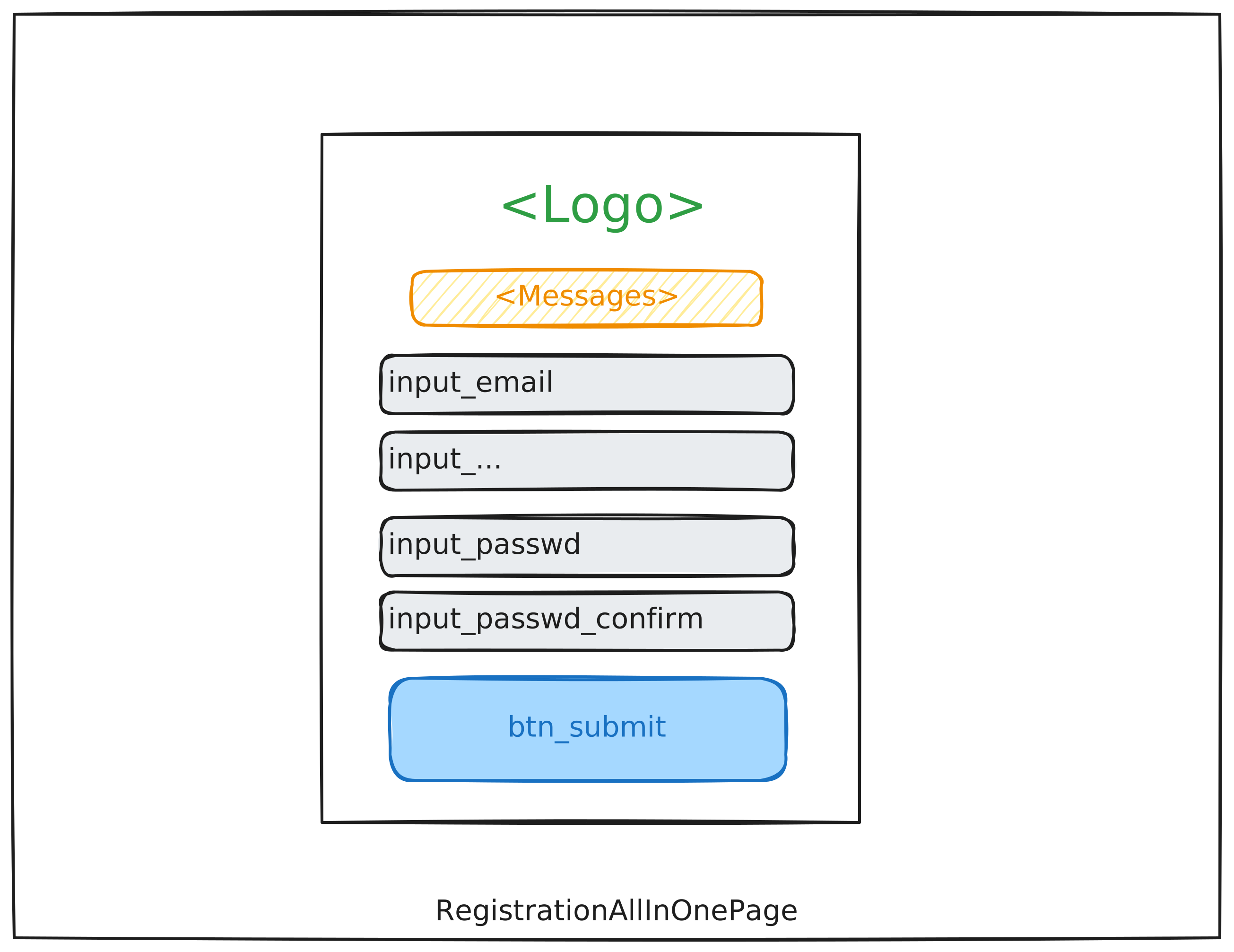 |
Providing all necessary information for the new user |
2 |
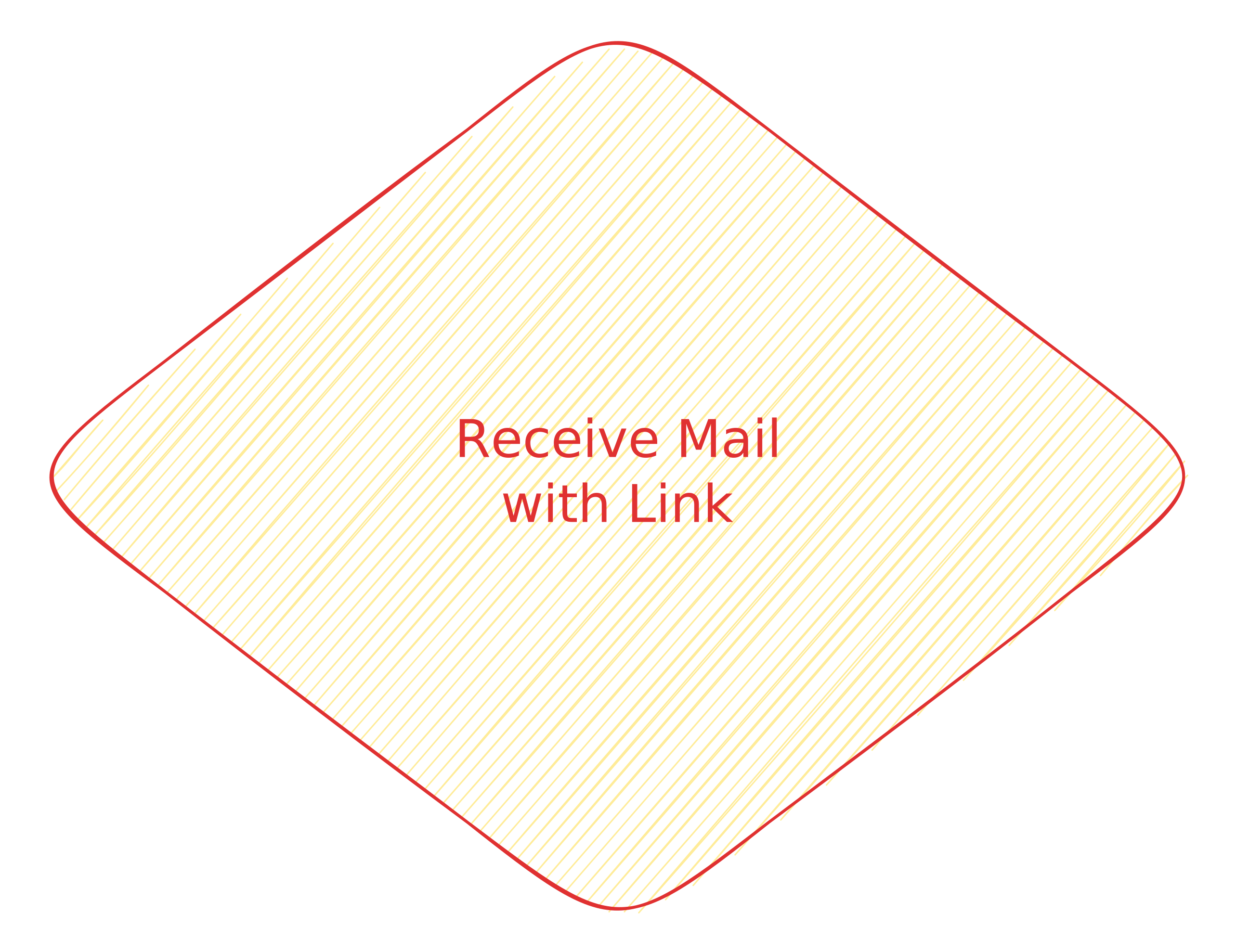 |
Waiting for a mail to the provided email address with a link to complete the registration |
3 |
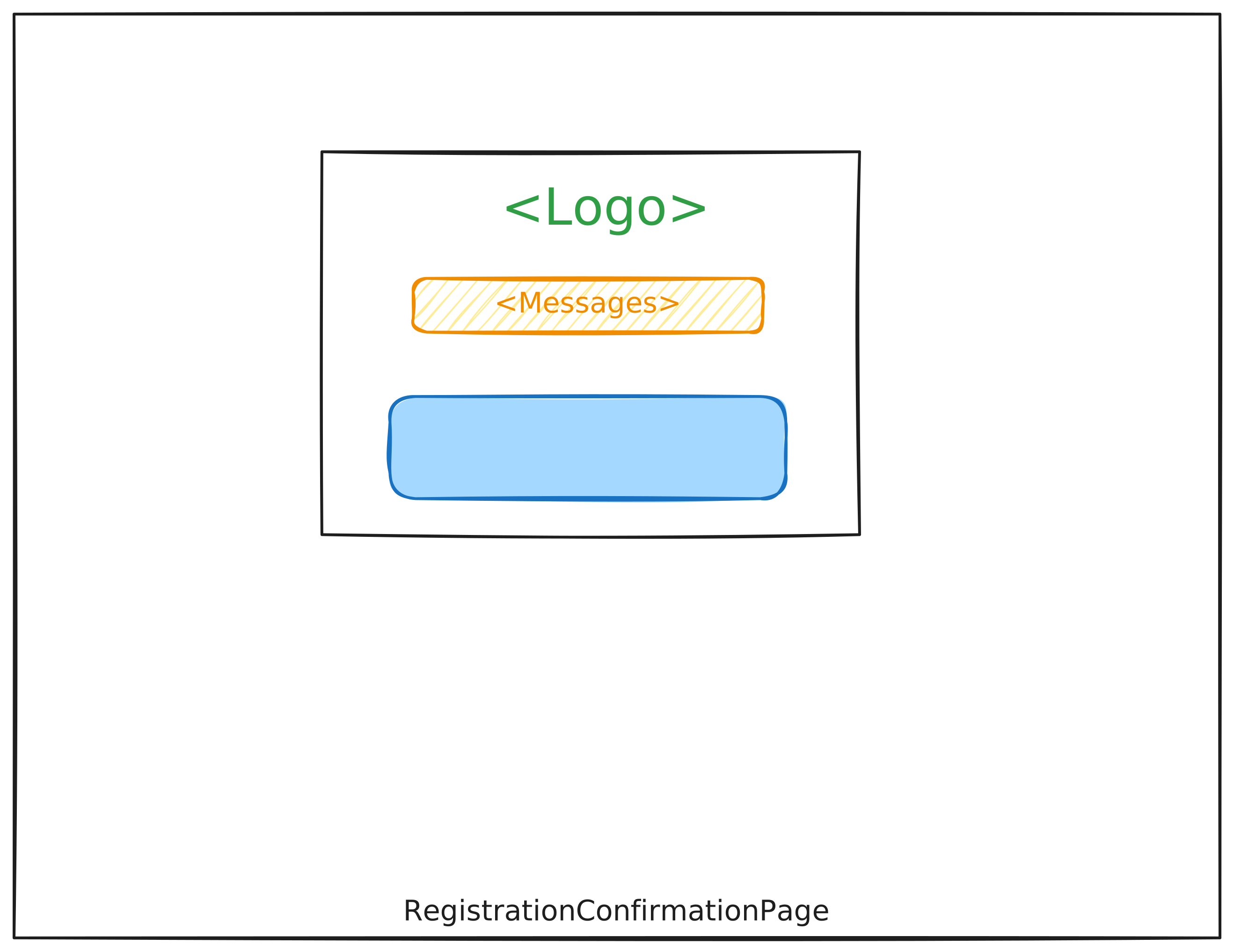 |
Confirmation Page, visible when the registration is completed |
To test this workflow, you can use the balderhub.auth.scenarios.ScenarioRegisterNewAsUnauth:
# file scenario_balderhub_auth.py

from balderhub.auth.scenarios import ScenarioRegisterNewAsUnauth
For minimal required setup for the All-In-One Registration process is shown below:
import balder
import balder.connections as cnns

import balderhub.html.contrib.auth.setup_features
import balderhub.selenium.lib.setup_features
import balderhub.smtp.lib.setup_features


class SetupAllInOneRegistration(balder.Setup):
    class Server(balder.Device):
        pass

    class SmtpServer(balder.Device):
        smtp = balderhub.smtp.lib.setup_features.AiosmtpdServerFeature()

    @balder.connect(SmtpServer, over_connection=cnns.SmtpConnection)
    @balder.connect(Server, over_connection=balder.Connection)
    class UnregisteredClient(balder.Device):
        selenium = balderhub.selenium.lib.setup_features.SeleniumXXWebdriverFeature()  # or other feature that supports `balderhub-webdriver`

        role = UnregisteredUserRole()

        page_login = LoginPage()
        login = balderhub.html.contrib.auth.setup_features.UserLoginFeature()

        page_register = RegistrationAllInOnePage()
        page_registration_confirm = RegistrationConfirmationPage()

        registration = balderhub.html.contrib.auth.setup_features.RegisterSelfAllDataAtOnceFeature()

        mail = balderhub.smtp.lib.setup_features.ProxySmtpReader(SmtpServer='SmtpServer')
        mail_confirm = MailConfirmationForRegistrationByLinkFeature()
This will execute the scenario with your setup:
+----------------------------------------------------------------------------------------------------------------------+
| BALDER Testsystem                                                                                                    |
|  python version 3.10.9 (main, Dec  8 2022, 02:19:14) [GCC 12.2.1 20220924] | balder version 0.2.2                    |
+----------------------------------------------------------------------------------------------------------------------+
Collect 1 Setups and 1 Scenarios
  resolve them to 1 valid variations

================================================== START TESTSESSION ===================================================
SETUP SetupRegistrationRequestFirst
  SCENARIO ScenarioRegisterNewAsUnauth
    VARIATION ScenarioRegisterNewAsUnauth.Server:SetupRegistrationRequestFirst.Server | ScenarioRegisterNewAsUnauth.UnauthClient:SetupRegistrationRequestFirst.UnregisteredClient
      TEST ScenarioRegisterNewAsUnauth.test_register_new_user [.]
================================================== FINISH TESTSESSION ==================================================
TOTAL NOT_RUN: 0 | TOTAL FAILURE: 0 | TOTAL ERROR: 0 | TOTAL SUCCESS: 1 | TOTAL SKIP: 0 | TOTAL COVERED_BY: 0
You need an implementation for the following features:
Property Name (From Example Setup) |
Feature |
Description |
|---|---|---|
|
Config values for user (username, mail, password, ..) that should be used for registration (mail/username needs to be unused) |
|
|
Page Bindings to the main registration page |
|
|
Features provides constructions how the link can be extracted from mail / mail content is validated |
|
|
Page Bindings to the normal confirmation page after the registration was successfully executed |
|
|
Page Bindings for the login page - necessary for validating if the registration was successful and user can log in afterwards |
Note
The scenario balderhub.auth.scenarios.ScenarioRegisterNewAsUnauth does not provide a clean up fixture.
Make sure, this is be handled within your setup fixtures.
Registration Processes (All-In-One | Mail-Confirmation over Token)
Step |
Wireframe |
Description |
|---|---|---|
1 |
|
Providing all necessary information for the new user |
2 |
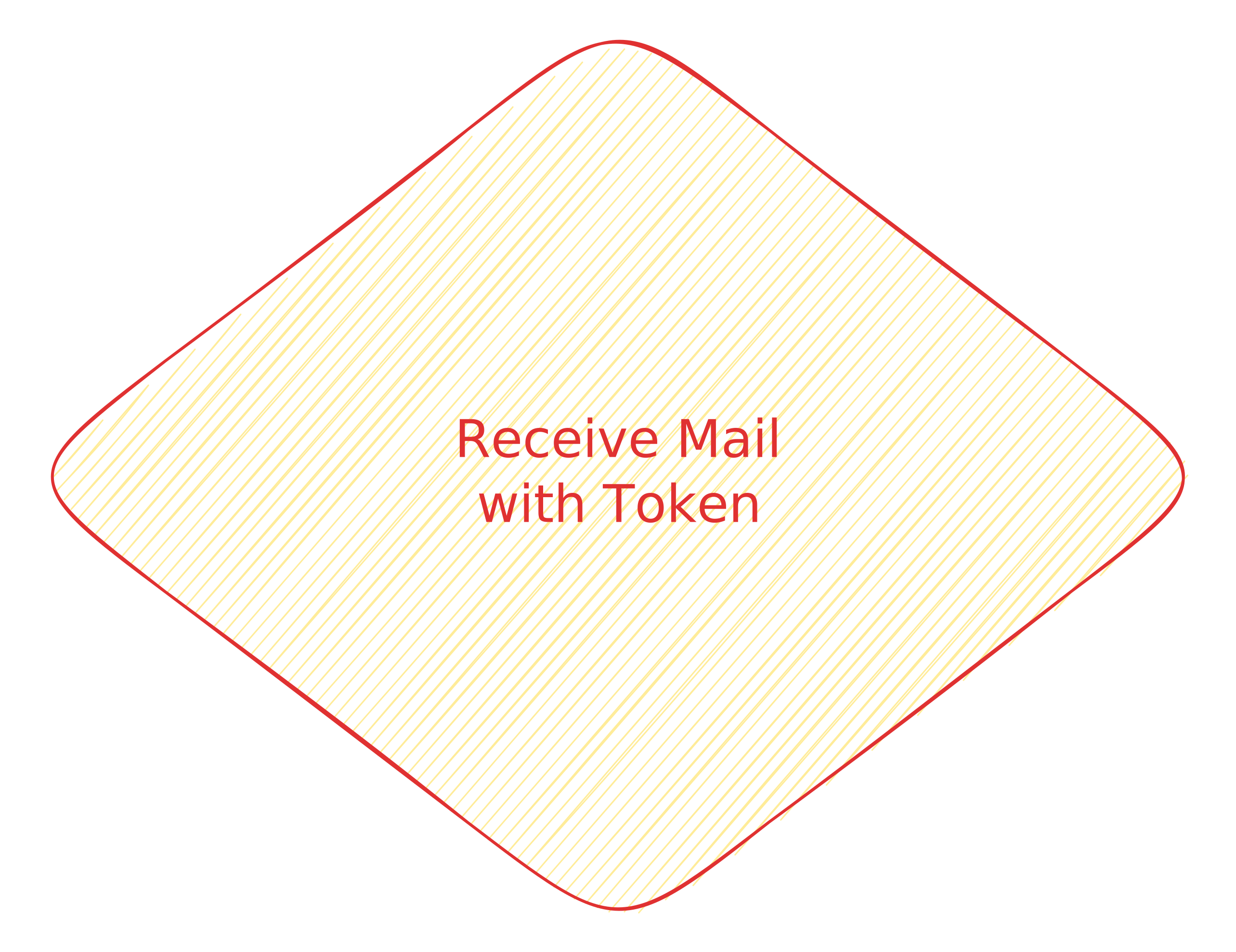 |
Waiting for a mail to the provided email address with a link to complete the registration |
3 |
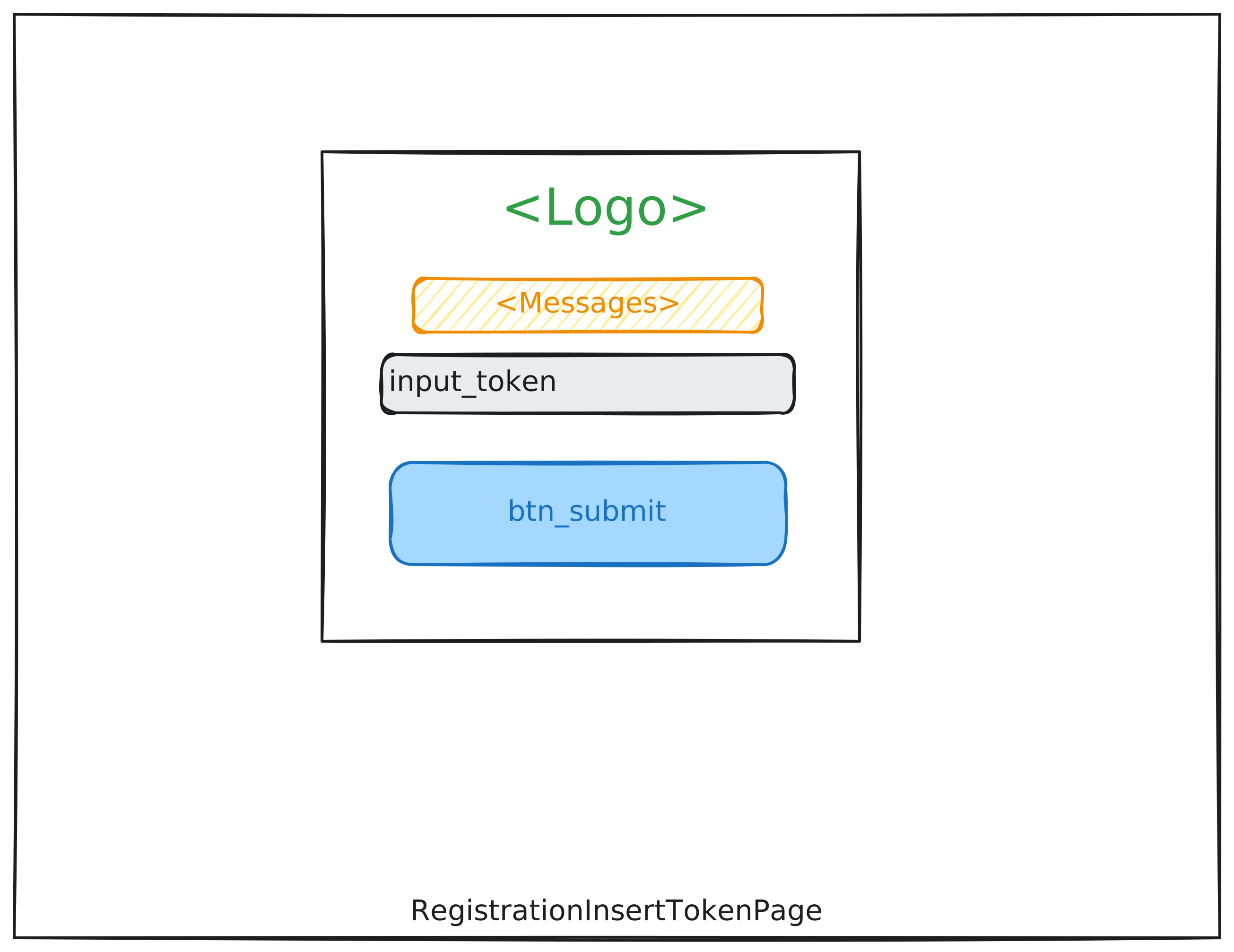 |
Confirmation Page, visible when the registration is completed |
4 |
|
Confirmation Page, visible when the registration is completed |
To test this workflow, you can use the balderhub.auth.scenarios.ScenarioRegisterNewAsUnauth:
# file scenario_balderhub_auth.py

from balderhub.auth.scenarios import ScenarioRegisterNewAsUnauth
For minimal required setup for the All-In-One Registration process is shown below:
import balder
import balder.connections as cnns

import balderhub.html.contrib.auth.setup_features
import balderhub.selenium.lib.setup_features
import balderhub.smtp.lib.setup_features


class SetupAllInOneRegistration(balder.Setup):
    class Server(balder.Device):
        pass

    class SmtpServer(balder.Device):
        smtp = balderhub.smtp.lib.setup_features.AiosmtpdServerFeature()

    @balder.connect(SmtpServer, over_connection=cnns.SmtpConnection)
    @balder.connect(Server, over_connection=balder.Connection)
    class UnregisteredClient(balder.Device):
        selenium = balderhub.selenium.lib.setup_features.SeleniumFeature()  # or other feature that supports `balderhub-webdriver`

        role = UnregisteredUserRole()

        page_login = LoginPage()
        login = balderhub.html.contrib.auth.setup_features.UserLoginFeature()

        page_register = RegistrationAllInOnePage()
        page_register_insert_token = RegistrationInsertTokenPage()
        page_registration_confirm = RegistrationConfirmationPage()

        registration = balderhub.html.contrib.auth.setup_features.RegisterSelfAllDataAtOnceFeature()

        mail = balderhub.smtp.lib.setup_features.ProxySmtpReader(SmtpServer='SmtpServer')
        mail_confirm = MailConfirmationForRegistrationByTokenFeature()
This will execute the scenario with your setup:
+----------------------------------------------------------------------------------------------------------------------+
| BALDER Testsystem                                                                                                    |
|  python version 3.10.9 (main, Dec  8 2022, 02:19:14) [GCC 12.2.1 20220924] | balder version 0.2.2                    |
+----------------------------------------------------------------------------------------------------------------------+
Collect 1 Setups and 1 Scenarios
  resolve them to 1 valid variations

================================================== START TESTSESSION ===================================================
SETUP SetupRegistrationRequestFirst
  SCENARIO ScenarioRegisterNewAsUnauth
    VARIATION ScenarioRegisterNewAsUnauth.Server:SetupRegistrationRequestFirst.Server | ScenarioRegisterNewAsUnauth.UnauthClient:SetupRegistrationRequestFirst.UnregisteredClient
      TEST ScenarioRegisterNewAsUnauth.test_register_new_user [.]
================================================== FINISH TESTSESSION ==================================================
TOTAL NOT_RUN: 0 | TOTAL FAILURE: 0 | TOTAL ERROR: 0 | TOTAL SUCCESS: 1 | TOTAL SKIP: 0 | TOTAL COVERED_BY: 0
You need an implementation for the following features:
Property Name (From Example Setup) |
Feature |
Description |
|---|---|---|
|
Config values for user (username, mail, password, ..) that should be used for registration (mail/username needs to be unused) |
|
|
Page Bindings to the main registration page |
|
|
Page Bindings, the token received by mail, needs to be inserted |
|
|
Features provides constructions how the token can be extracted from mail / mail content is validated |
|
|
Page Bindings to the normal confirmation page after the registration was successfully executed |
|
|
Page Bindings for the login page - necessary for validating if the registration was successful and user can log in afterwards |
Note
The scenario balderhub.auth.scenarios.ScenarioRegisterNewAsUnauth does not provide a clean up fixture.
Make sure, this is be handled within your setup fixtures.
Registration Processes (Mail First | Mail-Confirmation over Link)
Step |
Wireframe |
Description |
|---|---|---|
1 |
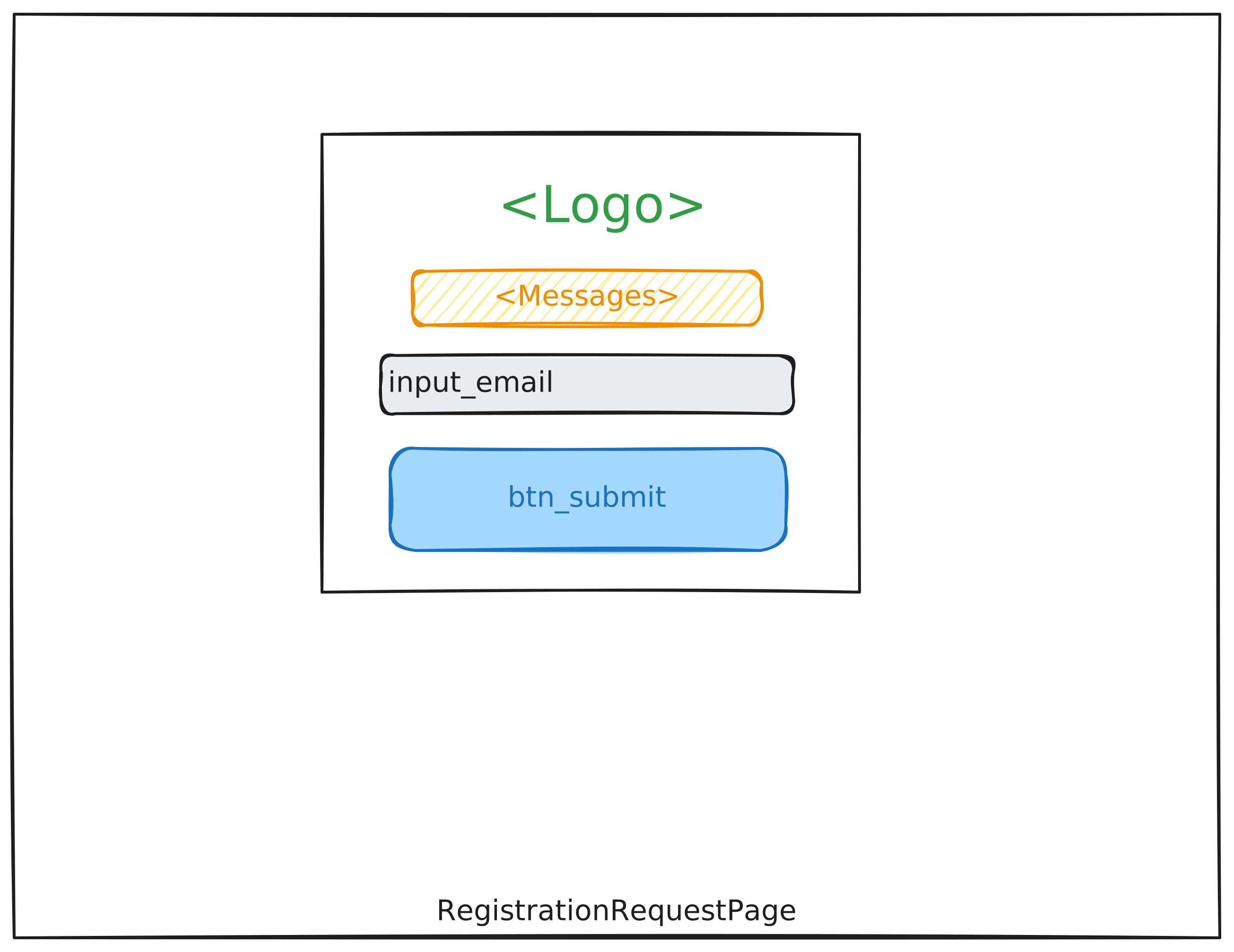 |
Providing the mail address only |
2 |
|
Waiting for a mail to the provided email address with a link to complete the registration |
3 |
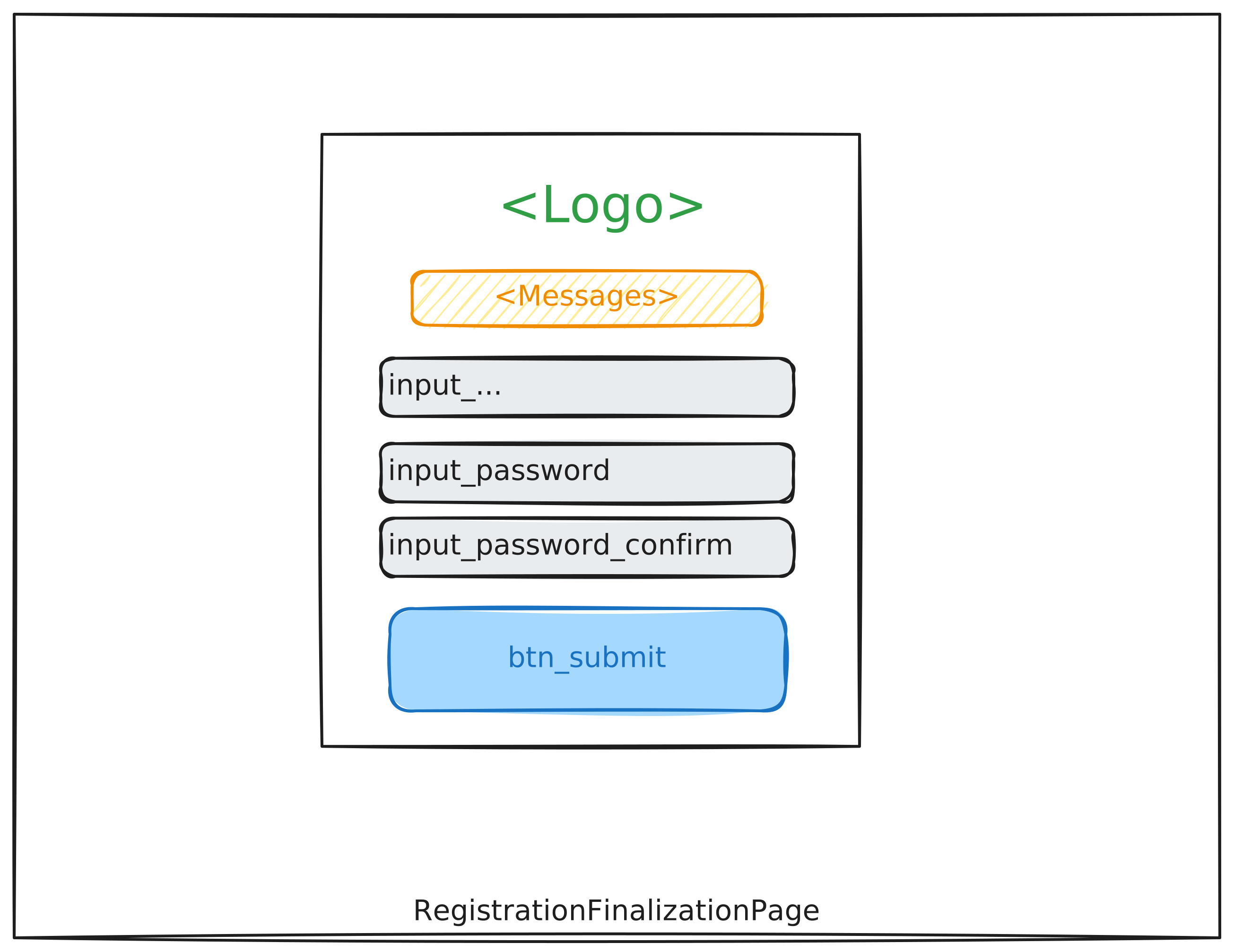 |
Finalization Page, visible when the mail is confirmed; form expects remaining registration data |
4 |
|
Confirmation Page, visible when the registration is completed |
To test this workflow, you can use the balderhub.auth.scenarios.ScenarioRegisterNewAsUnauth:
# file scenario_balderhub_auth.py

from balderhub.auth.scenarios import ScenarioRegisterNewAsUnauth
For minimal required setup for the Request-First Registration process is shown below:
import balder
import balder.connections as cnns

import balderhub.html.contrib.auth.setup_features
import balderhub.selenium.lib.setup_features
import balderhub.smtp.lib.setup_features


class SetupRegistrationRequestFirst(balder.Setup):
    class Server(balder.Device):
        pass

    class SmtpServer(balder.Device):
        smtp = balderhub.smtp.lib.setup_features.AiosmtpdServerFeature()

    @balder.connect(SmtpServer, over_connection=cnns.SmtpConnection)
    @balder.connect(Server, over_connection=balder.Connection)
    class UnregisteredClient(balder.Device):
        selenium = balderhub.selenium.lib.setup_features.SeleniumXXWebdriverFeature()  # or other feature that supports `balderhub-webdriver`

        role = UnregisteredUserRole()

        page_login = LoginPage()
        login = balderhub.html.contrib.auth.setup_features.UserLoginFeature()

        page_req_register = RegistrationRequestPage()
        page_registration_finalize = RegistrationFinalizationPage()
        page_registration_confirm = RegistrationConfirmationPage()

        registration = balderhub.html.contrib.auth.setup_features.RegisterSelfConfirmMailFirstFeature()

        mail = balderhub.smtp.lib.setup_features.ProxySmtpReader(SmtpServer='SmtpServer')
        mail_confirm = MailConfirmationForRegistrationByLinkFeature()
This will execute the scenario with your setup:
+----------------------------------------------------------------------------------------------------------------------+
| BALDER Testsystem                                                                                                    |
|  python version 3.10.9 (main, Dec  8 2022, 02:19:14) [GCC 12.2.1 20220924] | balder version 0.2.2                    |
+----------------------------------------------------------------------------------------------------------------------+
Collect 1 Setups and 1 Scenarios
  resolve them to 1 valid variations

================================================== START TESTSESSION ===================================================
SETUP SetupRegistrationRequestFirst
  SCENARIO ScenarioRegisterNewAsUnauth
    VARIATION ScenarioRegisterNewAsUnauth.Server:SetupRegistrationRequestFirst.Server | ScenarioRegisterNewAsUnauth.UnauthClient:SetupRegistrationRequestFirst.UnregisteredClient
      TEST ScenarioRegisterNewAsUnauth.test_register_new_user [.]
================================================== FINISH TESTSESSION ==================================================
TOTAL NOT_RUN: 0 | TOTAL FAILURE: 0 | TOTAL ERROR: 0 | TOTAL SUCCESS: 1 | TOTAL SKIP: 0 | TOTAL COVERED_BY: 0
You need an implementation for the following features:
Property Name (From Example Setup) |
Feature |
Description |
|---|---|---|
|
Config values for user (username, mail, password, ..) that should be used for registration (mail/username needs to be unused) |
|
|
Page Bindings for requesting the registration by confirming the mail address first |
|
|
Features provides constructions how the link can be extracted from mail / mail content is validated |
|
|
Page Bindings for providing all other details of the user that is necessary for registration |
|
|
Page Bindings to the normal confirmation page after the registration was successfully executed |
|
|
Page Bindings for the login page - necessary for validating if the registration was successful and user can log in afterwards |
Note
The scenario balderhub.auth.scenarios.ScenarioRegisterNewAsUnauth does not provide a clean up fixture.
Make sure, this is be handled within your setup fixtures.
Registration Processes (Mail First | Mail-Confirmation over Token)
Step |
Wireframe |
Description |
|---|---|---|
1 |
|
Providing the mail address only |
2 |
|
Waiting for a mail to the provided email address with a link to complete the registration |
3 |
|
Confirmation Page, visible when the registration is completed |
4 |
|
Finalization Page, visible when the mail is confirmed; form expects remaining registration data |
5 |
|
Confirmation Page, visible when the registration is completed |
To test this workflow, you can use the balderhub.auth.scenarios.ScenarioRegisterNewAsUnauth:
# file scenario_balderhub_auth.py

from balderhub.auth.scenarios import ScenarioRegisterNewAsUnauth
For minimal required setup for the Request-First Registration process is shown below:
import balder
import balder.connections as cnns

import balderhub.html.contrib.auth.setup_features
import balderhub.selenium.lib.setup_features
import balderhub.smtp.lib.setup_features


class SetupRegistrationRequestFirst(balder.Setup):
    class Server(balder.Device):
        pass

    class SmtpServer(balder.Device):
        smtp = balderhub.smtp.lib.setup_features.AiosmtpdServerFeature()

    @balder.connect(SmtpServer, over_connection=cnns.SmtpConnection)
    @balder.connect(Server, over_connection=balder.Connection)
    class UnregisteredClient(balder.Device):
        selenium = balderhub.selenium.lib.setup_features.SeleniumXXWebdriverFeature()  # or other feature that supports `balderhub-webdriver`

        role = UnregisteredUserRole()

        page_login = LoginPage()
        login = balderhub.html.contrib.auth.setup_features.UserLoginFeature()

        page_req_register = RegistrationRequestPage()
        page_register_insert_token = RegistrationInsertTokenPage()
        page_registration_finalize = RegistrationFinalizationPage()
        page_registration_confirm = RegistrationConfirmationPage()

        registration = balderhub.html.contrib.auth.setup_features.RegisterSelfConfirmMailFirstFeature()

        mail = balderhub.smtp.lib.setup_features.ProxySmtpReader(SmtpServer='SmtpServer')
        mail_confirm = MailConfirmationForRegistrationByTokenFeature()
This will execute the scenario with your setup:
+----------------------------------------------------------------------------------------------------------------------+
| BALDER Testsystem                                                                                                    |
|  python version 3.10.9 (main, Dec  8 2022, 02:19:14) [GCC 12.2.1 20220924] | balder version 0.2.2                    |
+----------------------------------------------------------------------------------------------------------------------+
Collect 1 Setups and 1 Scenarios
  resolve them to 1 valid variations

================================================== START TESTSESSION ===================================================
SETUP SetupRegistrationRequestFirst
  SCENARIO ScenarioRegisterNewAsUnauth
    VARIATION ScenarioRegisterNewAsUnauth.Server:SetupRegistrationRequestFirst.Server | ScenarioRegisterNewAsUnauth.UnauthClient:SetupRegistrationRequestFirst.UnregisteredClient
      TEST ScenarioRegisterNewAsUnauth.test_register_new_user [.]
================================================== FINISH TESTSESSION ==================================================
TOTAL NOT_RUN: 0 | TOTAL FAILURE: 0 | TOTAL ERROR: 0 | TOTAL SUCCESS: 1 | TOTAL SKIP: 0 | TOTAL COVERED_BY: 0
You need an implementation for the following features:
Property Name (From Example Setup) |
Feature |
Description |
|---|---|---|
|
Config values for user (username, mail, password, ..) that should be used for registration (mail/username needs to be unused) |
|
|
Page Bindings for requesting the registration by confirming the mail address first |
|
|
Features provides constructions how the token can be extracted from mail / mail content is validated |
|
|
Page Bindings, the token received by mail, needs to be inserted |
|
|
Page Bindings for providing all other details of the user that is necessary for registration |
|
|
Page Bindings to the normal confirmation page after the registration was successfully executed |
|
|
Page Bindings for the login page - necessary for validating if the registration was successful and user can log in afterwards |
Note
The scenario balderhub.auth.scenarios.ScenarioRegisterNewAsUnauth does not provide a clean up fixture.
Make sure, this is be handled within your setup fixtures.
Password Reset Processes | (Mail-Confirmation over Link)
Step |
Wireframe |
Description |
|---|---|---|
1 |
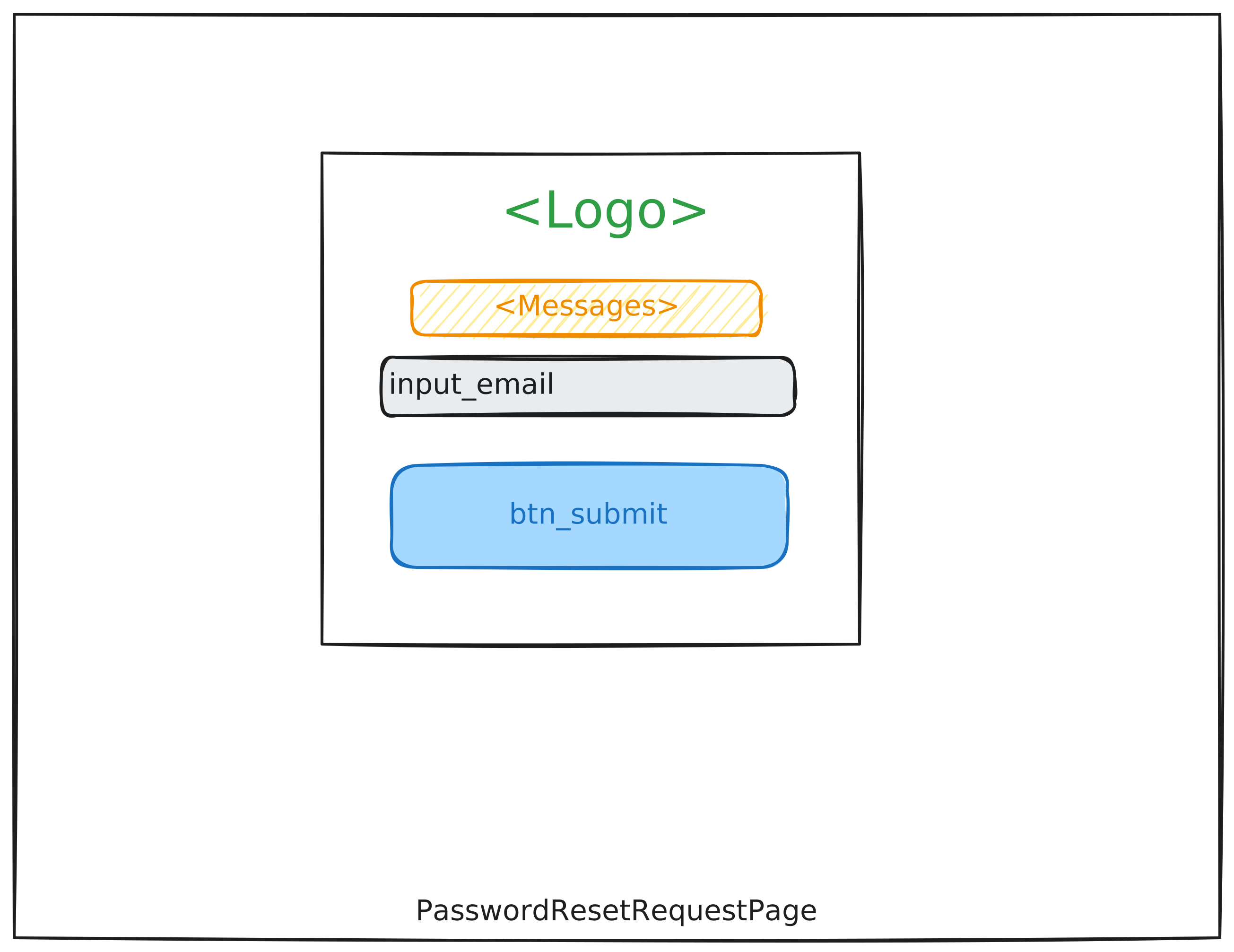 |
Providing the mail address and triggers the mail |
2 |
|
Waiting for a mail to the provided email address with a link for confirming mail access to reset password |
3 |
|
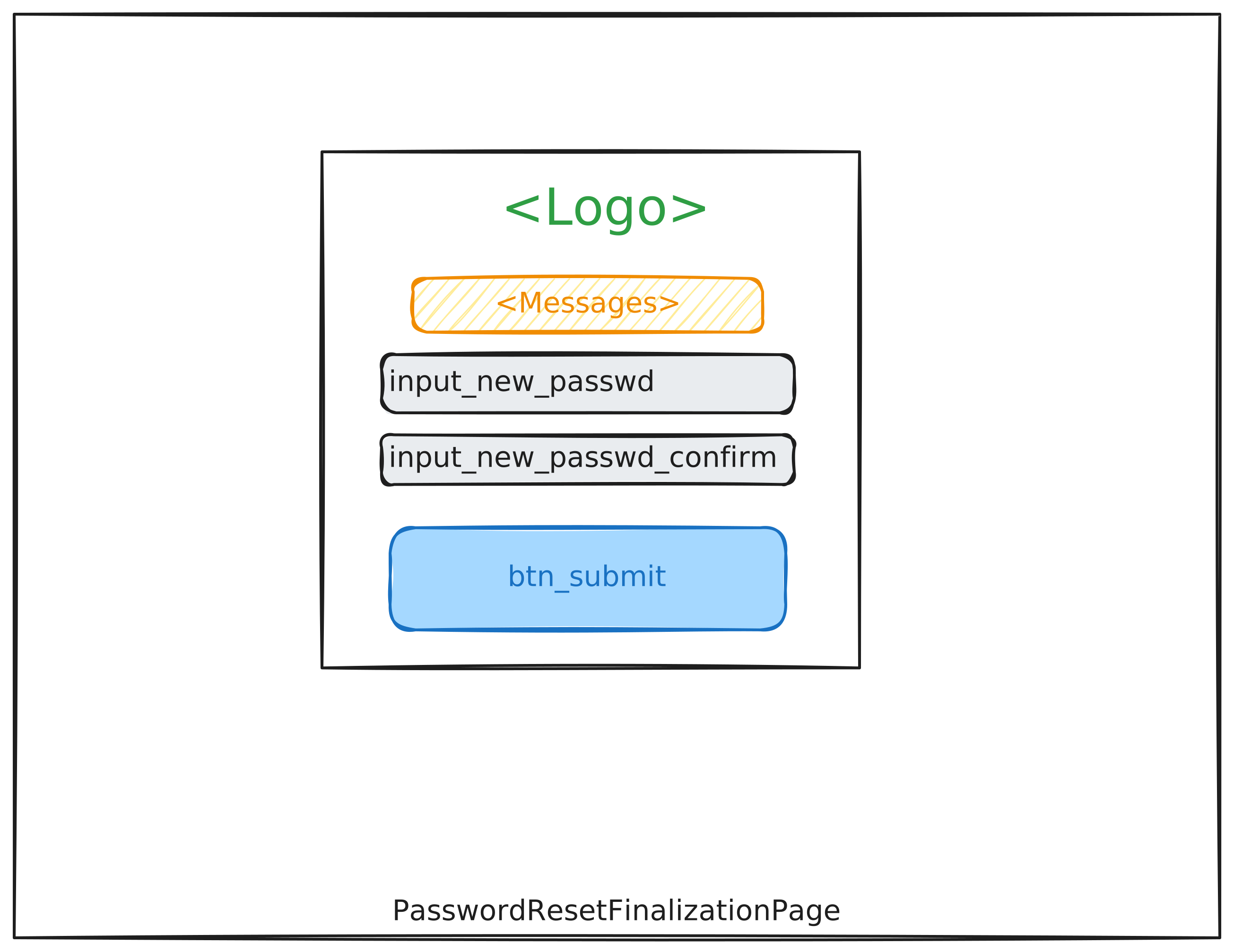
Finalization Page, visible when the mail is confirmed; form asks for new password |
4 |
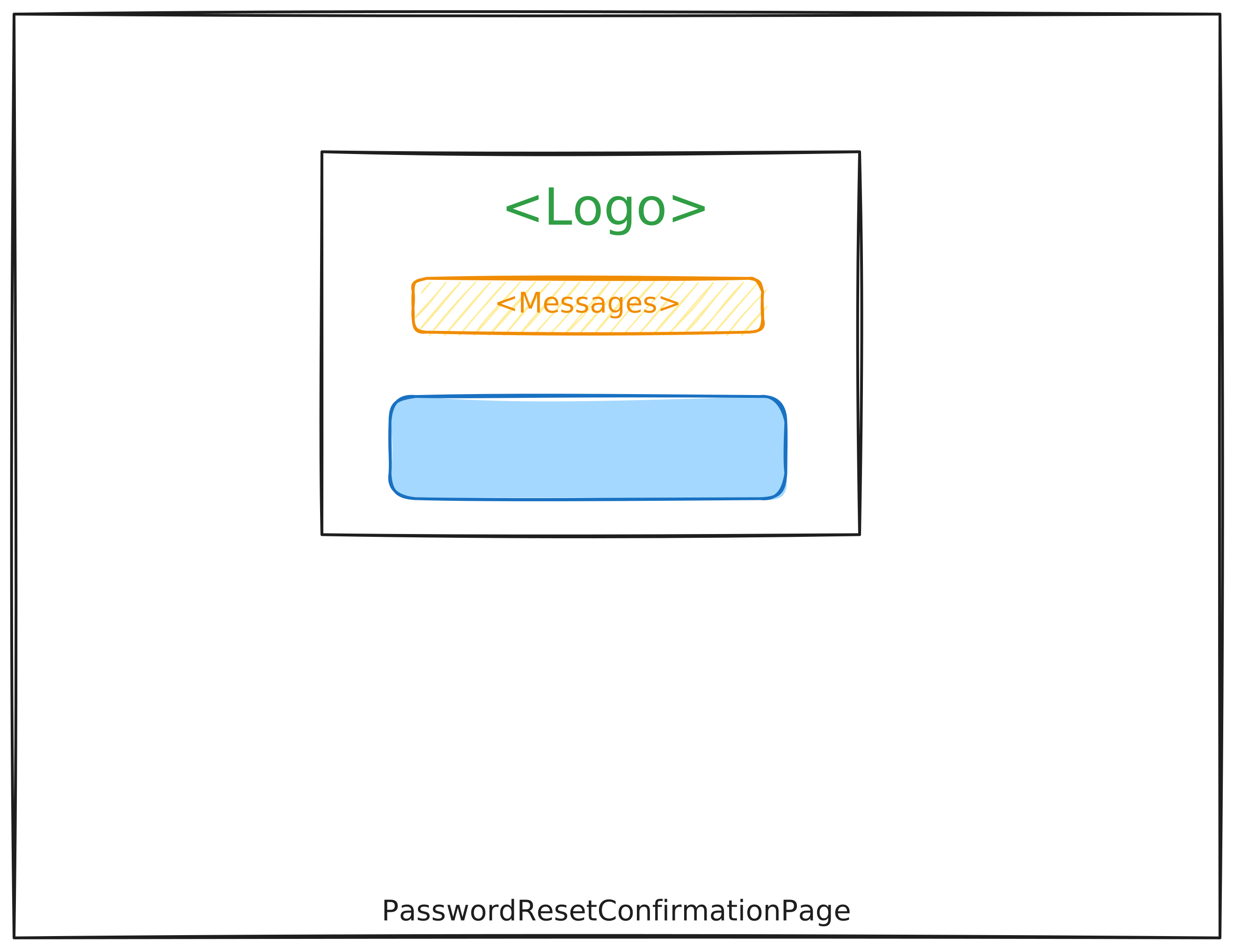 |
Confirmation Page, visible when the password reset has been completed and the password was changed |
To test this workflow, you can use the balderhub.auth.scenarios.ScenarioPasswordResetWithUnauth:
# file scenario_balderhub_auth.py

from balderhub.auth.scenarios import ScenarioPasswordResetWithUnauth
For minimal required setup for the Password-Reset process is shown below:
import balder
import balder.connections as cnns

import balderhub.html.contrib.auth.setup_features
import balderhub.selenium.lib.setup_features
import balderhub.smtp.lib.setup_features


class SetupPasswordReset(balder.Setup):
    class Server(balder.Device):
        pass

    class SmtpServer(balder.Device):
        smtp = balderhub.smtp.lib.setup_features.AiosmtpdServerFeature()

    @balder.connect(SmtpServer, over_connection=cnns.SmtpConnection)
    @balder.connect(Server, over_connection=balder.Connection)
    class Client(balder.Device):
        selenium = balderhub.selenium.lib.setup_features.SeleniumXXWebdriverFeature()  # or other feature that supports `balderhub-webdriver`

        role = MyUserRole()

        page_login = LoginPage()
        login = balderhub.html.contrib.auth.setup_features.UserLoginFeature()

        page_req_passwd_reset = PasswordResetRequestPage()
        page_finalize_passwd_reset = PasswordResetFinalizationPage()
        page_passwd_reset_confirm = PasswordResetConfirmationPage()

        passwd_provider = PasswordFieldValueProvider()
        passwd_reset = balderhub.html.contrib.auth.setup_features.PasswordResetFeature()

        mail = balderhub.smtp.lib.setup_features.ProxySmtpReader(SmtpServer='SmtpServer')
        mail_confirm = MailConfirmationForPasswdResetByLinkFeature()
This will execute the scenario with your setup:
+----------------------------------------------------------------------------------------------------------------------+
| BALDER Testsystem                                                                                                    |
|  python version 3.10.9 (main, Dec  8 2022, 02:19:14) [GCC 12.2.1 20220924] | balder version 0.1.0b1.dev461+ge459412d3|
+----------------------------------------------------------------------------------------------------------------------+
Collect 1 Setups and 1 Scenarios
  resolve them to 1 valid variations

================================================== START TESTSESSION ===================================================
SETUP SetupPasswordReset
  SCENARIO ScenarioPasswordResetWithUnauth
    VARIATION ScenarioPasswordResetWithUnauth.Server:SetupPasswordReset.Server | ScenarioPasswordResetWithUnauth.UnauthClient:SetupPasswordReset.Client
      TEST ScenarioPasswordResetWithUnauth.test_password_reset [.]
================================================== FINISH TESTSESSION ==================================================
TOTAL NOT_RUN: 0 | TOTAL FAILURE: 0 | TOTAL ERROR: 0 | TOTAL SUCCESS: 1 | TOTAL SKIP: 0 | TOTAL COVERED_BY: 0
You need an implementation for the following features:
Property Name (From Example Setup) |
Feature |
Description |
|---|---|---|
|
Config values for user (username, mail, password, ..) the password should be changed for (user needs to exist) |
|
|
Page Bindings for requesting the password-reset by confirming the mail address first |
|
|
Features provides constructions how the link can be extracted from mail / mail content is validated |
|
|
|
Features provides valid / invalid values for passwords where the primary valid value is used as new password |
|
|
Page Bindings to finalize the password reset, as soon as mail is confirmed and to provide new password |
|
Page Bindings to the normal confirmation page after the password was changed successfully |
|
|
Page Bindings for the login page - necessary for validating if the password reset was done successfully and user can log in afterwards with the new password |
Password Reset Processes | (Mail-Confirmation over Token)
Step |
Wireframe |
Description |
|---|---|---|
1 |
|
Providing the mail address only |
2 |
|
Waiting for a mail to the provided email address with a token for confirming mail access to reset password |
3 |
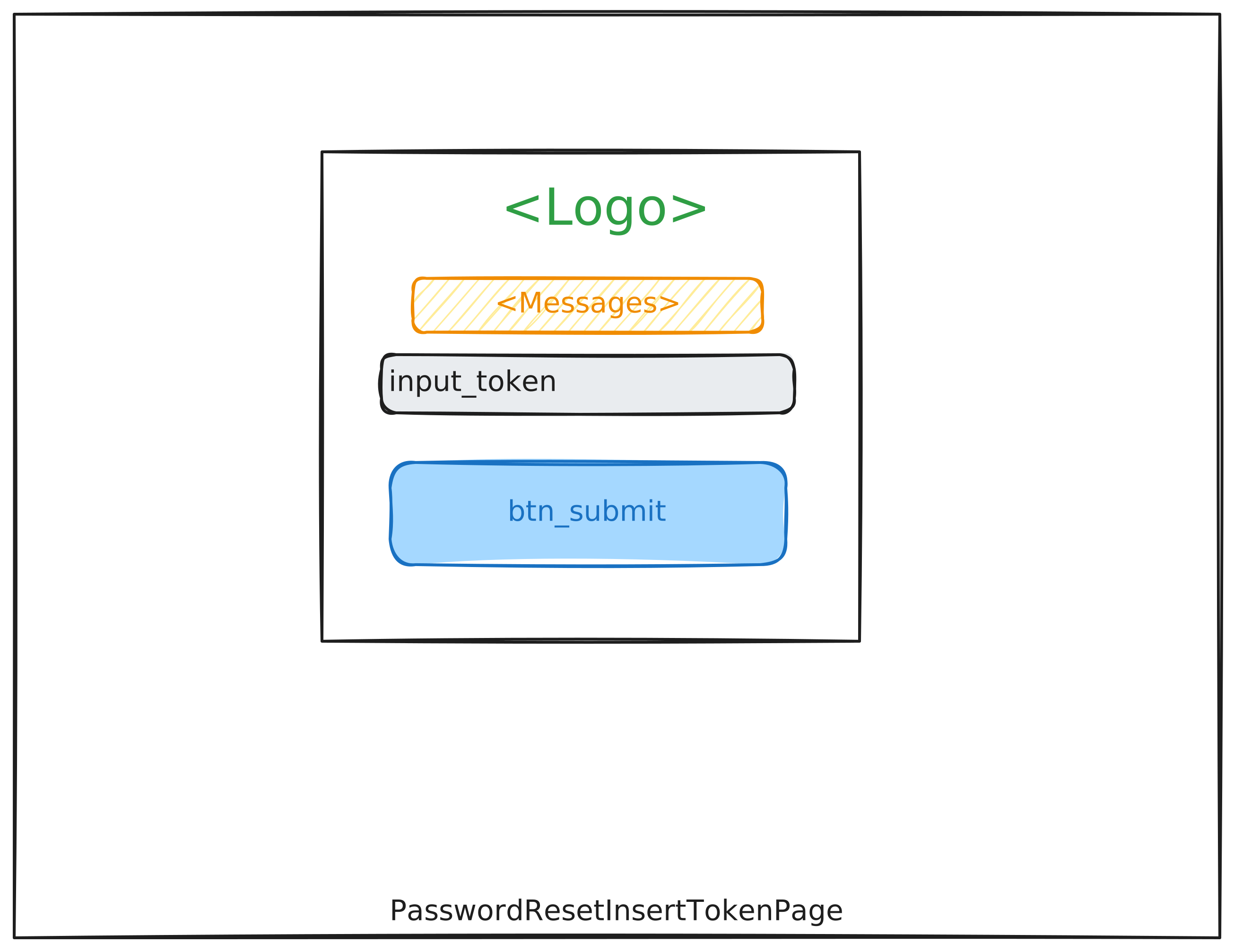 |
Page expecting to input the token that has been received by mail |
4 |
|
Finalization Page, visible when the mail is confirmed; form asks for new password |
5 |
|
Confirmation Page, visible when the password-change has been completed and the new password was set |
To test this workflow, you can use the balderhub.auth.scenarios.ScenarioPasswordResetWithUnauth:
# file scenario_balderhub_auth.py

from balderhub.auth.scenarios import ScenarioPasswordResetWithUnauth
For minimal required setup for the Password-Reset process is shown below:
import balder
import balder.connections as cnns

import balderhub.html.contrib.auth.setup_features
import balderhub.selenium.lib.setup_features
import balderhub.smtp.lib.setup_features


class SetupPasswordReset(balder.Setup):
    class Server(balder.Device):
        pass

    class SmtpServer(balder.Device):
        smtp = balderhub.smtp.lib.setup_features.AiosmtpdServerFeature()

    @balder.connect(SmtpServer, over_connection=cnns.SmtpConnection)
    @balder.connect(Server, over_connection=balder.Connection)
    class Client(balder.Device):
        selenium = balderhub.selenium.lib.setup_features.SeleniumXXWebdriverFeature()  # or other feature that supports `balderhub-webdriver`

        role = MyUserRole()

        page_login = LoginPage()
        login = balderhub.html.contrib.auth.setup_features.UserLoginFeature()

        page_req_passwd_reset = PasswordResetRequestPage()
        page_token_passwd_reset = PasswordResetInsertTokenPage()
        page_finalize_passwd_reset = PasswordResetFinalizationPage()
        page_passwd_reset_confirm = PasswordResetConfirmationPage()

        passwd_provider = PasswordFieldValueProvider()
        passwd_reset = balderhub.html.contrib.auth.setup_features.PasswordResetFeature()

        mail = balderhub.smtp.lib.setup_features.ProxySmtpReader(SmtpServer='SmtpServer')
        mail_confirm = MailConfirmationForPasswdResetByLinkFeature()
This will execute the scenario with your setup:
+----------------------------------------------------------------------------------------------------------------------+
| BALDER Testsystem                                                                                                    |
|  python version 3.10.9 (main, Dec  8 2022, 02:19:14) [GCC 12.2.1 20220924] | balder version 0.1.0b1.dev461+ge459412d3|
+----------------------------------------------------------------------------------------------------------------------+
Collect 1 Setups and 1 Scenarios
  resolve them to 1 valid variations

================================================== START TESTSESSION ===================================================
SETUP SetupPasswordReset
  SCENARIO ScenarioPasswordResetWithUnauth
    VARIATION ScenarioPasswordResetWithUnauth.Server:SetupPasswordReset.Server | ScenarioPasswordResetWithUnauth.UnauthClient:SetupPasswordReset.Client
      TEST ScenarioPasswordResetWithUnauth.test_password_reset [.]
================================================== FINISH TESTSESSION ==================================================
TOTAL NOT_RUN: 0 | TOTAL FAILURE: 0 | TOTAL ERROR: 0 | TOTAL SUCCESS: 1 | TOTAL SKIP: 0 | TOTAL COVERED_BY: 0
You need an implementation for the following features:
Property Name (From Example Setup) |
Feature |
Description |
|---|---|---|
|
Config values for user (username, mail, password, ..) the password should be changed for (user needs to exist) |
|
|
Page Bindings for requesting the password-reset by confirming the mail address first |
|
|
Page Bindings, the token received by mail, needs to be inserted |
|
|
Features provides constructions how the link can be extracted from mail / mail content is validated |
|
|
|
Features provides valid / invalid values for passwords where the primary valid value is used as new password |
|
|
Page Bindings to finalize the password reset, as soon as mail is confirmed and to provide new password |
|
Page Bindings to the normal confirmation page after the password was changed successfully |
|
|
Page Bindings for the login page - necessary for validating if the password reset was done successfully and user can log in afterwards with the new password |
Pages
Login / Logout Pages
- class balderhub.html.contrib.auth.pages.LoginPage(**kwargs)
Bases:
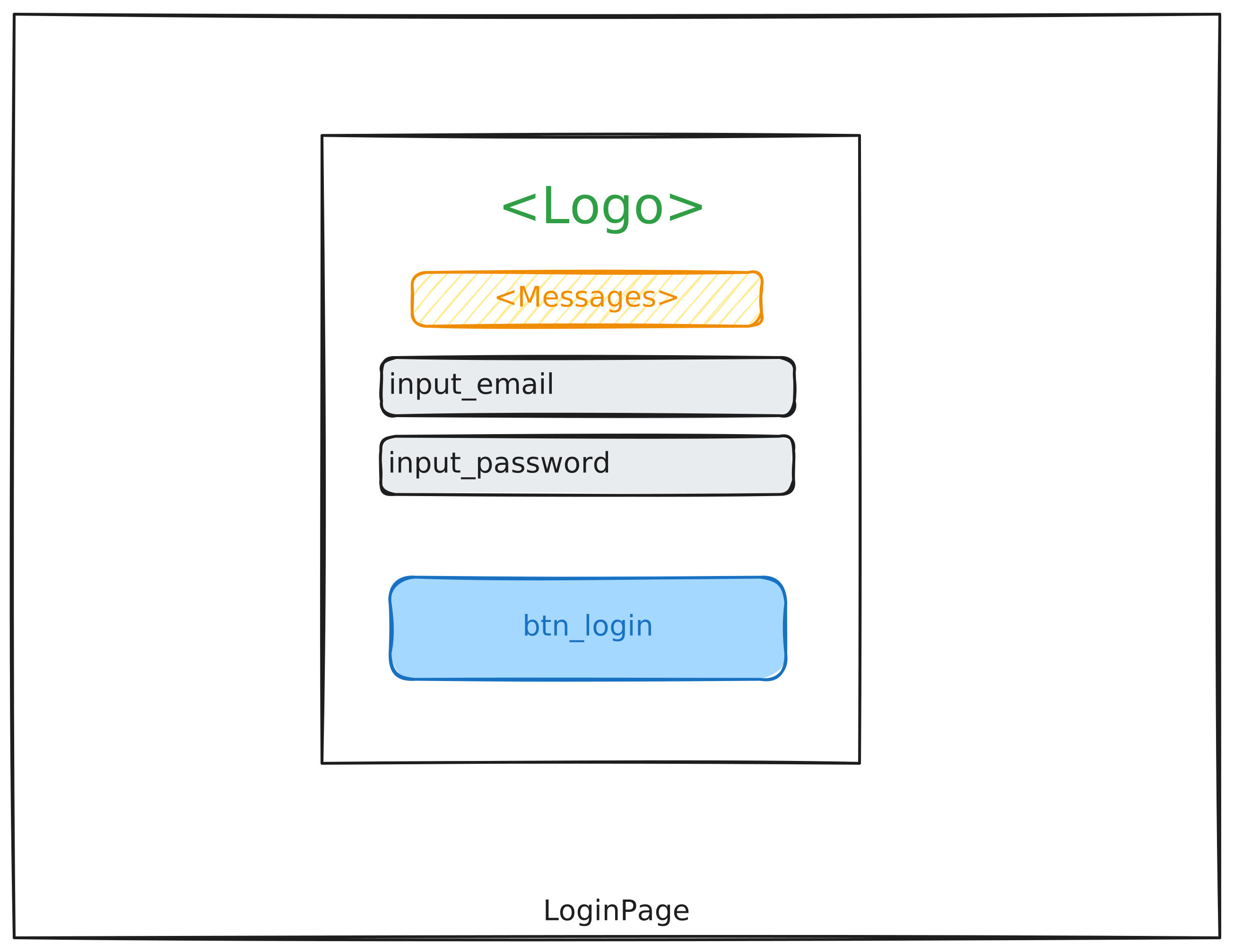
HtmlPageHTML Page for normal login pages as abstract base class - all abstract methods/properties needs to be defined in subclass.
- property applicable_on_url_schema: Url | List[Url]
This method needs to be overwritten by child classes. It should return one or more
balderhub.url.lib.utils.Urlobjects that describe a schema, on which this page is applicable.For example:
from balderhub.html.lib.scenario_features import HtmlPage
from balderhub.url.lib.utils import Url

class MyPage(HtmlPage):

    def applicable_on_url_schema(self) -> Url:
        return Url('http://example.com/article/<int:article_id>/')
This makes the page applicable on domains like http://example.com/article/1/ or also http://example.com/article/555/, but not on http://example.com/article/a/.
- Returns:
a specific
balderhub.url.lib.utils.Urlobject or a list of it
- property btn_login: HtmlButtonElement
- Returns:
HTML button to submit the login form
- property input_password: HtmlPasswordInput
- Returns:
Html input field where the password needs to be filled
- property input_username: HtmlTextInput
- Returns:
Html input field where the username needs to be filled
- open() None
This method opens the login page.
- property url: Url
- Returns:
non-schema url the login page is located at
- class balderhub.html.contrib.auth.pages.LogoutPage(**kwargs)
Bases:
HtmlPageHTML Page for a normal logout
- property applicable_on_url_schema: Url | List[Url]
This method needs to be overwritten by child classes. It should return one or more
balderhub.url.lib.utils.Urlobjects that describe a schema, on which this page is applicable.For example:
from balderhub.html.lib.scenario_features import HtmlPage
from balderhub.url.lib.utils import Url

class MyPage(HtmlPage):

    def applicable_on_url_schema(self) -> Url:
        return Url('http://example.com/article/<int:article_id>/')
This makes the page applicable on domains like http://example.com/article/1/ or also http://example.com/article/555/, but not on http://example.com/article/a/.
- Returns:
a specific
balderhub.url.lib.utils.Urlobject or a list of it
- open() None
This method opens the login page.
- property url: Url
- Returns:
non-schema url the login page is located at
Registration Pages
- class balderhub.html.contrib.auth.pages.RegistrationAllInOnePage(**kwargs)
Bases:
HtmlPageHTML Page for register a new user with data provided by
balderhub.html.contrib.auth.scenario_features.ExtendedUserRolethat is assigned to the same device.- property applicable_on_url_schema: Url | List[Url]
This method needs to be overwritten by child classes. It should return one or more
balderhub.url.lib.utils.Urlobjects that describe a schema, on which this page is applicable.For example:
from balderhub.html.lib.scenario_features import HtmlPage
from balderhub.url.lib.utils import Url

class MyPage(HtmlPage):

    def applicable_on_url_schema(self) -> Url:
        return Url('http://example.com/article/<int:article_id>/')
This makes the page applicable on domains like http://example.com/article/1/ or also http://example.com/article/555/, but not on http://example.com/article/a/.
- Returns:
a specific
balderhub.url.lib.utils.Urlobject or a list of it
- property btn_submit: HtmlButtonElement
Retrieves the HTML button element for submitting the page data.
- Returns:
The HTML button element for submitting the form.
- fill_data_from_role() None
Method that fills the data based on the given role. Needs to be overwritten if there are more fields that are necessary to fill in.
- property input_email: HtmlEmailInput
Provides the HTML Input element for the email address.
- Returns:
HtmlTextInput instance representing the HTML element for the email address.
- property input_passwd: HtmlPasswordInput
Provides the HTML Input element for the password
- Returns:
HtmlTextInput instance representing the HTML element for the password.
- property input_passwd_confirm: HtmlPasswordInput
Provides the HTML Input element for confirming the password
- Returns:
HtmlTextInput instance representing the HTML element for confirming the password.
- open() None
This method opens the page.
- property url: Url
- Returns:
non-schema url the page is located at
- class balderhub.html.contrib.auth.pages.RegistrationRequestPage(**kwargs)
Bases:
HtmlPageHTML Page for … todo
- property applicable_on_url_schema: Url | List[Url]
This method needs to be overwritten by child classes. It should return one or more
balderhub.url.lib.utils.Urlobjects that describe a schema, on which this page is applicable.For example:
from balderhub.html.lib.scenario_features import HtmlPage
from balderhub.url.lib.utils import Url

class MyPage(HtmlPage):

    def applicable_on_url_schema(self) -> Url:
        return Url('http://example.com/article/<int:article_id>/')
This makes the page applicable on domains like http://example.com/article/1/ or also http://example.com/article/555/, but not on http://example.com/article/a/.
- Returns:
a specific
balderhub.url.lib.utils.Urlobject or a list of it
- property btn_submit: HtmlButtonElement
Retrieves the HTML button element for submitting the page data.
- Returns:
The HTML button element for submitting the form.
- property input_email: HtmlEmailInput
Provides the HTML Input element for the email address.
- Returns:
HtmlTextInput instance representing the HTML element for the email address.
- open() None
This method opens the page.
- property url: Url
- Returns:
non-schema url the page is located at
- class balderhub.html.contrib.auth.pages.RegistrationInsertTokenPage(**kwargs)
Bases:
HtmlPageHTML Page for … todo
- property btn_submit: HtmlButtonElement
Retrieves the HTML button element for submitting the page data.
- Returns:
The HTML button element for submitting the form.
- property input_token: HtmlTextInput
Provides the HTML Input element for the token.
- Returns:
HtmlTextInput instance representing the HTML element for the token.
- class balderhub.html.contrib.auth.pages.RegistrationFinalizationPage(**kwargs)
Bases:
HtmlPageHTML Page for finalize the registration process for a new user with data provided by
balderhub.html.contrib.auth.scenario_features.ExtendedUserRolethat is assigned to the same device.This page will be opened after successfully confirm the mail address when the register-with-request-process
- property btn_submit: HtmlButtonElement
Retrieves the HTML button element for submitting the page data.
- Returns:
The HTML button element for submitting the form.
- fill_data_from_role()
Method that fills the data based on the given role. Needs to be overwritten if there are more fields that are necessary to fill in.
- property input_passwd: HtmlPasswordInput
Provides the HTML Input element for the password
- Returns:
HtmlTextInput instance representing the HTML element for the password.
- property input_passwd_confirm: HtmlPasswordInput
Provides the HTML Input element for confirming the password
- Returns:
HtmlTextInput instance representing the HTML element for confirming the password.
- class balderhub.html.contrib.auth.pages.RegistrationConfirmationPage(**kwargs)
Bases:
HtmlPageHTML Page for … todo
- property applicable_on_url_schema: Url | List[Url]
This method needs to be overwritten by child classes. It should return one or more
balderhub.url.lib.utils.Urlobjects that describe a schema, on which this page is applicable.For example:
from balderhub.html.lib.scenario_features import HtmlPage
from balderhub.url.lib.utils import Url

class MyPage(HtmlPage):

    def applicable_on_url_schema(self) -> Url:
        return Url('http://example.com/article/<int:article_id>/')
This makes the page applicable on domains like http://example.com/article/1/ or also http://example.com/article/555/, but not on http://example.com/article/a/.
- Returns:
a specific
balderhub.url.lib.utils.Urlobject or a list of it
Password Reset Pages
- class balderhub.html.contrib.auth.pages.PasswordResetRequestPage(**kwargs)
Bases:
HtmlPageHTML Page for requesting a password reset link or token.
- property applicable_on_url_schema: Url | List[Url]
This method needs to be overwritten by child classes. It should return one or more
balderhub.url.lib.utils.Urlobjects that describe a schema, on which this page is applicable.For example:
from balderhub.html.lib.scenario_features import HtmlPage
from balderhub.url.lib.utils import Url

class MyPage(HtmlPage):

    def applicable_on_url_schema(self) -> Url:
        return Url('http://example.com/article/<int:article_id>/')
This makes the page applicable on domains like http://example.com/article/1/ or also http://example.com/article/555/, but not on http://example.com/article/a/.
- Returns:
a specific
balderhub.url.lib.utils.Urlobject or a list of it
- property btn_submit: HtmlButtonElement
Retrieves the HTML button element for submitting the page data.
- Returns:
The HTML button element for submitting the form.
- property input_email: HtmlEmailInput
Provides the HTML Input element for the email address.
- Returns:
HtmlTextInput instance representing the HTML element for the email address.
- open() None
This method opens the page.
- property url: Url
- Returns:
non-schema url the page is located at
- class balderhub.html.contrib.auth.pages.PasswordResetInsertTokenPage(**kwargs)
Bases:
HtmlPageHTML Page for … todo
- property btn_submit: HtmlButtonElement
Retrieves the HTML button element for submitting the page data.
- Returns:
The HTML button element for submitting the form.
- property input_token: HtmlTextInput
Provides the HTML Input element for the token.
- Returns:
HtmlTextInput instance representing the HTML element for the token.
- class balderhub.html.contrib.auth.pages.PasswordResetConfirmationPage(**kwargs)
Bases:
HtmlPageHTML Page for … todo
- property applicable_on_url_schema: Url | List[Url]
This method needs to be overwritten by child classes. It should return one or more
balderhub.url.lib.utils.Urlobjects that describe a schema, on which this page is applicable.For example:
from balderhub.html.lib.scenario_features import HtmlPage
from balderhub.url.lib.utils import Url

class MyPage(HtmlPage):

    def applicable_on_url_schema(self) -> Url:
        return Url('http://example.com/article/<int:article_id>/')
This makes the page applicable on domains like http://example.com/article/1/ or also http://example.com/article/555/, but not on http://example.com/article/a/.
- Returns:
a specific
balderhub.url.lib.utils.Urlobject or a list of it
Scenario Features
This contrib module also provides some special scenario features that needs to be defined by end user.
Extended User Roles
- class balderhub.html.contrib.auth.scenario_features.ExtendedUserRole(**kwargs)
Bases:
UserRoleFeatureRepresents an extended user role with additional properties, necessary for web-based authentification.
- property email: str
- Returns:
represents the email address associated with the user role.
Mail Extraction Features
These features provide methods to extract information out of an email.
- class balderhub.html.contrib.auth.scenario_features.BaseMailExtractionFeature(**kwargs)
Bases:
FeatureA base feature class for mail extraction for this contribution project.
This class provides scenario-level functionalities related to mail extraction involving email handling.
- confirm_with_mail_at_idx(idx: int) None
Executes the full process that is necessary to confirm the expected use by reading the mail at the given index.
This method is responsible for validating the mail and executing the process that is necessary to provide the confirmation with the new information given within the mail at the given index.
- Parameters:
idx – the mail index of all received emails by the dependent
balderhub.email.lib.scenario_features.EmailReaderFeature
- mail = <balderhub.email.lib.scenario_features.email_reader_feature.EmailReaderFeature object>
Instance of the email reader feature
- validate_mail(mail: EmailDataMessage)
Validates the given email message.
This method ensures that the provided email message adheres to the mail format expected for the current process type. It must be implemented by subclasses to define the validation logic.
- Parameters:
mail – An instance of EmailDataMessage that represents the email to be validated.
- class balderhub.html.contrib.auth.scenario_features.MailConfirmationForPasswdResetFeature(**kwargs)
Bases:
BaseMailExtractionFeatureHandles the mail-based confirmation process for password-reset requests.
This feature provides the functionality to confirm password-reset requests by processing incoming emails. This class must be extended to implement the specific logic for email validation and processing the mail-confirmation necessary when a user forgets his/her password.
- confirm_with_mail_at_idx(idx: int) None
Executes the full process that is necessary to confirm the password-reset request by reading the mail at the given index.
This method is responsible for validating the mail and executing the process that is necessary to provide the confirmation with the new information given within the mail at the given index.
- Parameters:
idx – the mail index of all received emails by the dependent
balderhub.email.lib.scenario_features.EmailReaderFeature
- validate_mail(mail: EmailDataMessage)
Validates the given email message.
This method ensures that the provided email message adheres to the mail format expected for a password-reset request. It must be implemented by subclasses to define the validation logic.
- Parameters:
mail – An instance of EmailDataMessage that represents the email to be validated.
- class balderhub.html.contrib.auth.scenario_features.MailConfirmationForRegistrationFeature(**kwargs)
Bases:
BaseMailExtractionFeatureHandles the mail-based confirmation process for registration requests.
This feature provides the functionality to confirm registration requests by processing incoming emails. This class must be extended to implement the specific logic for email validation and processing the mail-confirmation necessary when a new user is registered.
- confirm_with_mail_at_idx(idx: int) None
Executes the full process that is necessary to confirm the registration request by reading the mail at the given index.
This method is responsible for validating the mail and executing the process that is necessary to provide the confirmation with the new information given within the mail at the given index.
- Parameters:
idx – the mail index of all received emails by the dependent
balderhub.email.lib.scenario_features.EmailReaderFeature
- validate_mail(mail: EmailDataMessage)
Validates the given email message.
This method ensures that the provided email message adheres to the mail format expected for a registration request. It must be implemented by subclasses to define the validation logic.
- Parameters:
mail – An instance of EmailDataMessage that represents the email to be validated.
Setup Features
Login / Logout Setup Features
- class balderhub.html.contrib.auth.setup_features.UserLoginFeature(**kwargs)
Bases:
UserLoginFeatureImplementation of the user login feature for using the
balderhub.contrib.html.pages.LoginPageHTML pages- insert_password(password: str) None
Inserts the password for login
- Parameters:
password – the password to insert
- insert_username(username: str) None
Inserts the username for login
- Parameters:
username – the username to insert
- is_already_logged_in()
- Returns:
returns True if someone is already logged in, otherwise False
- submit_login() None
Executes the login
- class balderhub.html.contrib.auth.setup_features.UserLogoutFeature(**kwargs)
Bases:
UserLogoutFeatureProvides functionality for user logout operation for web-based applications.
This class is a feature implementation for handling the logout process of a user by interacting with the LogoutPage. It contains the necessary logic to complete the logout action.
- logout() None
logs out the user
- page_logout = <balderhub.html.contrib.auth.pages.logout_page.LogoutPage object>
dependent feature reference to LogoutPage instance that provides bindings to the logout page
Registration Features
- class balderhub.html.contrib.auth.setup_features.RegisterSelfAllDataAtOnceFeature(**kwargs)
Bases:
RegisterSelfFeatureHandles the registration process for a self-registration scenario where all data is provided at once.
This class automates the process of self-registration by interacting with specific pages for requesting and confirming the registration, facilitating email confirmation, and ensuring the provided data aligns with the extended user role. It’s designed to abstract and simplify the complex steps involved in this registration flow.
- confirmation_page = <balderhub.html.contrib.auth.pages.registration_confirmation_page.RegistrationConfirmationPage object>
inner feature reference to the pagedisplayed upon successful registration confirmation.
- mail = <balderhub.email.lib.scenario_features.email_reader_feature.EmailReaderFeature object>
inner feature reference, providing access to email handling features for reading and managing emails.
- mail_confirm = <balderhub.html.contrib.auth.scenario_features.mail_confirmation_for_registration_feature.MailConfirmationForRegistrationFeature object>
inner feature reference, providing access to email-based confirmation for the registration process.
- register() None
Registers the client this feature is assigned to, specified by the role.
- request_link_page = <balderhub.html.contrib.auth.pages.registration_all_in_one_page.RegistrationAllInOnePage object>
inner feature reference to the page used to input registration data and initiate the registration process.
- role = <balderhub.html.contrib.auth.scenario_features.extended_user_role.ExtendedUserRole object>
inner feature reference describing the role that defines the user’s permissions and attributes for registration.
- class balderhub.html.contrib.auth.setup_features.RegisterSelfConfirmMailFirstFeature(**kwargs)
Bases:
RegisterSelfFeatureHandles the registration flow for a user, starting with requesting a registration confirmation link, processing the confirmation email, and finalizing the registration.
This class is designed to automate the self-registration process for a specific type of user and includes interaction with multiple pages involved in the workflow, as well as handling email confirmation for registration completion.
- Variables:
role – Represents the role of the user being registered, containing details like email and other relevant user information.
request_link_page – Manages the interaction with the registration request page, where users input their email address for registration.
registration_page – Handles the final registration form page where users provide additional details to complete their registration.
confirmation_page – Represents the page displayed post successful registration confirmation.
mail – Handles interaction with the email system, such as checking for registration messages.
mail_confirm – Provides functionality to process and verify registration links received via email.
- confirmation_page = <balderhub.html.contrib.auth.pages.registration_confirmation_page.RegistrationConfirmationPage object>
inner feature reference to the page displayed upon successful registration confirmation.
- mail = <balderhub.email.lib.scenario_features.email_reader_feature.EmailReaderFeature object>
inner feature reference, providing access to email handling features for reading and managing emails.
- mail_confirm = <balderhub.html.contrib.auth.scenario_features.mail_confirmation_for_registration_feature.MailConfirmationForRegistrationFeature object>
inner feature reference, providing access to email-based confirmation for the registration process.
- register() None
Registers the client this feature is assigned to, specified by the role.
- registration_page = <balderhub.html.contrib.auth.pages.registration_finalization_page.RegistrationFinalizationPage object>
inner feature reference to the page used to finalize the registration by providing all missing data
- request_link_page = <balderhub.html.contrib.auth.pages.registration_request_page.RegistrationRequestPage object>
inner feature reference to the page used to input the email address and initiate the registration process.
- role = <balderhub.html.contrib.auth.scenario_features.extended_user_role.ExtendedUserRole object>
inner feature reference describing the role that defines the user’s permissions and attributes for registration.
Password Reset Setup-Level Features
- class balderhub.html.contrib.auth.setup_features.PasswordResetFeature(**kwargs)
Bases:
PasswordResetFeatureHandles the password reset process for a user within a web-based application.
This class orchestrates the password reset procedure by initiating the reset request, confirming the reset through an email verification step, and allowing the user to set a new password. It relies on multiple pages and feature classes to facilitate the process and interacts with email confirmation functionality.
- change_password(new_password: str)
Changes the password for the current user account, this password-reset was initiated before.
This method is used to update the current password of the user with a new one. The new password must be provided as input and should meet the application’s password requirements. The implementation of this method should define the specific logic for validating and applying the password change.
- Parameters:
new_password – The new password to replace the current password.
- confirm_over_second_factor()
Confirms the password-reset operation over a second factor.
- initiate_reset()
Initiates a reset procedure.
This method should be overridden in subclasses to define the specific reset behavior.
- mail = <balderhub.email.lib.scenario_features.email_reader_feature.EmailReaderFeature object>
dependent feature, handles email interactions, such as retrieving the confirmation email.
- mail_confirm = <balderhub.html.contrib.auth.scenario_features.mail_confirmation_for_passwd_reset_feature.MailConfirmationForPasswdResetFeature object>
dependent feature, facilitates email confirmation for the password reset process.
- page_reset_confirm = <balderhub.html.contrib.auth.pages.password_reset_confirmation_page.PasswordResetConfirmationPage object>
dependent feature, represents the page for confirming the password has been reset.
- page_reset_finalize = <balderhub.html.contrib.auth.pages.password_reset_finalization_page.PasswordResetFinalizationPage object>
dependent feature, represents the page for finalizing the password reset process.
- page_reset_req = <balderhub.html.contrib.auth.pages.password_reset_request_page.PasswordResetRequestPage object>
dependent feature, represents the page for initiating the password reset request.
- role = <balderhub.html.contrib.auth.scenario_features.extended_user_role.ExtendedUserRole object>
dependent feature, represents the user role associated with the password reset process.
Mail Confirmation Features
- class balderhub.html.contrib.auth.setup_features.MailConfirmationForPasswdResetByLinkFeature(**kwargs)
Bases:
MailConfirmationForPasswdResetFeatureProvides functionality for mail-based password reset confirmation using a link.
This class extends MailConfirmationForPasswdResetFeature and is designed to handle the confirmation of password reset processes via email by parsing and extracting reset links from received messages. It uses a webdriver to navigate to the reset links for confirmation.
- confirm_with_mail_at_idx(idx: int) None
Executes the full process that is necessary to confirm the password-reset request by reading the mail at the given index.
This method is responsible for validating the mail and executing the process that is necessary to provide the confirmation with the new information given within the mail at the given index.
- Parameters:
idx – the mail index of all received emails by the dependent
balderhub.email.lib.scenario_features.EmailReaderFeature
- extract_link(mail: EmailDataMessage) Url
Extracts a URL from a given email message.
This method is designed to locate and return the password-reset confirmation URL present in the provided email message.
- Parameters:
mail – The email message object from which the URL is to be extracted. The object should be compatible with the EmailDataMessage class.
- Returns:
The extracted URL from the email message as
balderhub.url.lib.utils.Urlobject.
- webdriver = <balderhub.webdriver.lib.scenario_features.webdriver_control_feature.WebdriverControlFeature object>
inner feature reference to the webdriver feature for controlling browser interactions during the password reset confirmation process.
- class balderhub.html.contrib.auth.setup_features.MailConfirmationForPasswdResetByTokenFeature(**kwargs)
Bases:
MailConfirmationForPasswdResetFeatureRepresents a feature for confirming password reset by token received via email.
This class is used to implement functionality for extracting a token from an email and using it to confirm a password reset. It builds upon the base MailConfirmationForPasswdResetFeature and introduces token confirmation mechanisms.
- confirm_with_mail_at_idx(idx: int) None
Executes the full process that is necessary to confirm the password-reset request by reading the mail at the given index.
This method is responsible for validating the mail and executing the process that is necessary to provide the confirmation with the new information given within the mail at the given index.
- Parameters:
idx – the mail index of all received emails by the dependent
balderhub.email.lib.scenario_features.EmailReaderFeature
- extract_token(mail: EmailDataMessage) str
Extract a token from the given email message. The token is parsed from the email content and returned as a string.
- Parameters:
mail – The email message object from which the token is to be extracted. This parameter must be an instance of EmailDataMessage.
- Returns:
The extracted token as a string.
- page_token = <balderhub.html.contrib.auth.pages.password_reset_insert_token_page.PasswordResetInsertTokenPage object>
inner feature reference to the inser-token page for password reset; used for token insertion and confirmation within the password reset process.
- class balderhub.html.contrib.auth.setup_features.MailConfirmationForRegistrationByLinkFeature(**kwargs)
Bases:
MailConfirmationForRegistrationFeatureFeature implementation for handling mail confirmations for user registration using a link included in the email contents.
This class serves the purpose of confirming registrations by extracting a specific link from an email and utilizing a webdriver to interact with the link. It adds functionality on top of the underlying mail confirmation process, specifically for scenarios requiring email-driven actions.
- confirm_with_mail_at_idx(idx: int) None
Executes the full process that is necessary to confirm the registration request by reading the mail at the given index.
This method is responsible for validating the mail and executing the process that is necessary to provide the confirmation with the new information given within the mail at the given index.
- Parameters:
idx – the mail index of all received emails by the dependent
balderhub.email.lib.scenario_features.EmailReaderFeature
- extract_link(mail: EmailDataMessage) Url
Extracts a URL from a given email message.
This method is designed to locate and return the registration confirmation URL present in the provided email message.
- Parameters:
mail – The email message object from which the URL is to be extracted. The object should be compatible with the EmailDataMessage class.
- Returns:
The extracted URL from the email message as
balderhub.url.lib.utils.Urlobject.
- webdriver = <balderhub.webdriver.lib.scenario_features.webdriver_control_feature.WebdriverControlFeature object>
inner feature reference to the webdriver feature for controlling browser interactions during the password reset confirmation process.
- class balderhub.html.contrib.auth.setup_features.MailConfirmationForRegistrationByTokenFeature(**kwargs)
Bases:
MailConfirmationForRegistrationFeatureProvides functionality to confirm user registration by processing a confirmation token received via email. This feature interacts with the token insertion page and handles the extraction and usage of tokens for completing the registration process.
- confirm_with_mail_at_idx(idx: int) None
Executes the full process that is necessary to confirm the registration request by reading the mail at the given index.
This method is responsible for validating the mail and executing the process that is necessary to provide the confirmation with the new information given within the mail at the given index.
- Parameters:
idx – the mail index of all received emails by the dependent
balderhub.email.lib.scenario_features.EmailReaderFeature
- extract_token(mail: EmailDataMessage) str
Extract a token from the given email message. The token is parsed from the email content and returned as a string.
- Parameters:
mail – The email message object from which the token is to be extracted. This parameter must be an instance of EmailDataMessage.
- Returns:
The extracted token as a string.
- page_token = <balderhub.html.contrib.auth.pages.registration_insert_token_page.RegistrationInsertTokenPage object>
inner feature reference to the inner-token page for registration; used for token insertion and confirmation during user registration.